

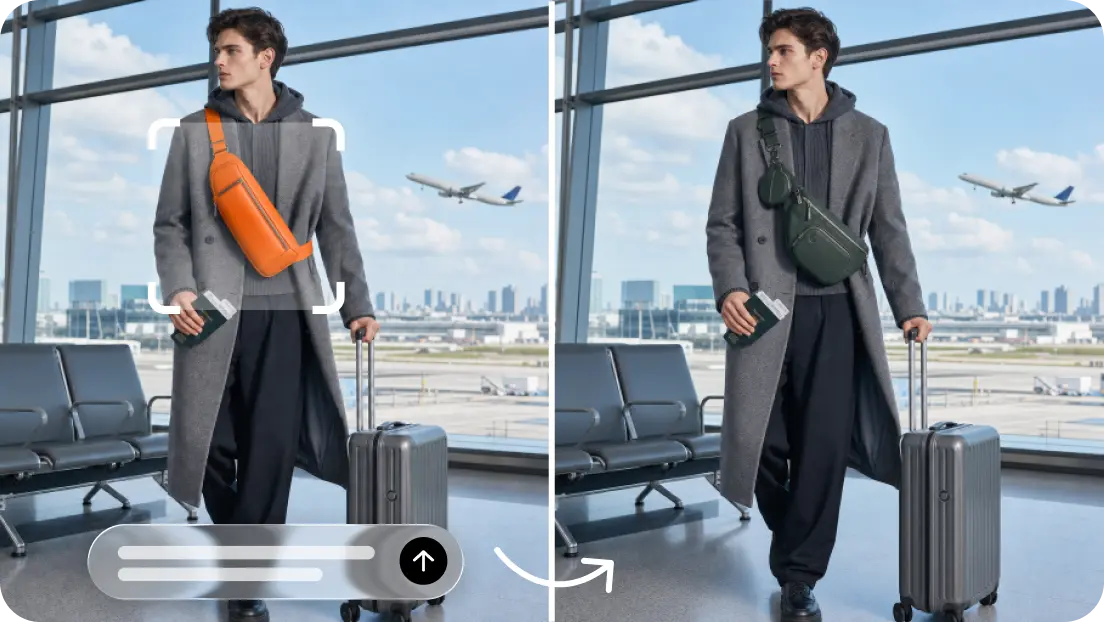
Professional-quality videos may entail the use of cameras, lenses, lighting tools, appropriate locations, and experienced production crews. But another method of creating cinematic imagery from photographs and illustrations is through image-to-video generation. Dreamina AI is an all-in-one creative tool for generating images, creating videos, and editing photos. Its Seedance models provide motion from image references, assisting with the creation of promotional clips, product showcases, and animated stories. But careful finishing, visual consistency, believable movement, and thoughtful composition are still essential to good results. While AI may not be able to replace all the specific film needs, it can ease some creative projects without a lot of costly equipment.
Understand What Makes Footage Look Professionally Produced
There are several coordinated elements in professional quality, and the camera alone is not responsible for it. Composition creates a hierarchy of the elements within the picture plane by focusing attention on the subject. The use of lighting creates depth through highlights, shadows, contrast, and atmospheric lighting. Gradual pans and subtle push-ins create the impression that the camera moves as they are controlled. Natural motion is achieved by believable gestures and environmental movement. The use of the same colors, textures, and subject details helps to create continuity within each clip. With Dreamina AI, creators can plan these qualities with prompts and references. The method doesn’t involve moving the camera, but it does involve providing creative direction, and generated results will need careful review.
Choose Source Images That Support a Cinematic Result
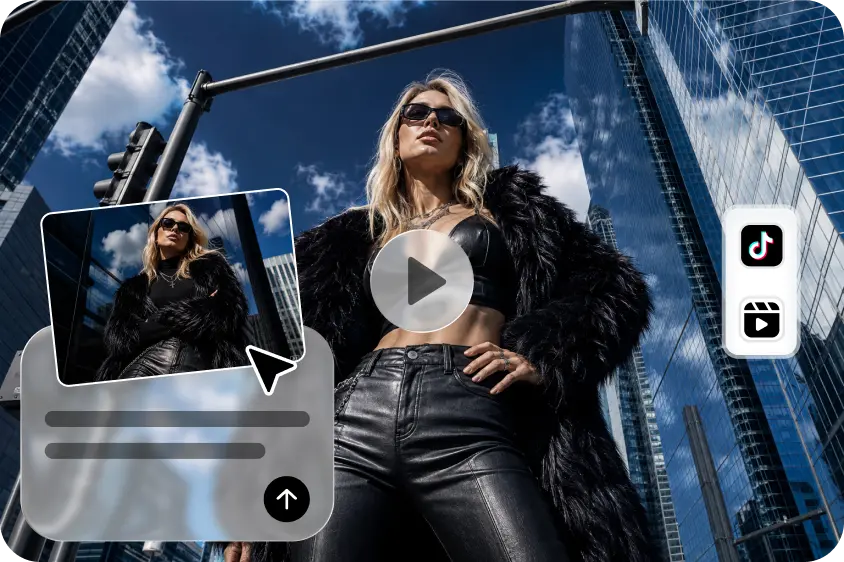
The source image is used to guide Dreamina AI in its understanding of the subjects, depth, lighting, and potential movement. Having a clear focus point helps to keep the emphasis on the visuals throughout animation. Select compositions that include sufficient “environmental sense” to drive the desired camera action. Photos of products should show significant shapes, finishes, and materials. Familiar elements and appropriate framing are used in character illustrations. When planning cinematic effects, think about the lighting direction and foreground separation. You can use a free image to video generator to convert appropriate pictures into moving pictures; however, even with comprehensive artwork, you can’t ensure realism. Choose references to achieve desired action and visual effect.
Steps to Create Pro-Level Footage Without Pro Gear Using Image-to-Video AI
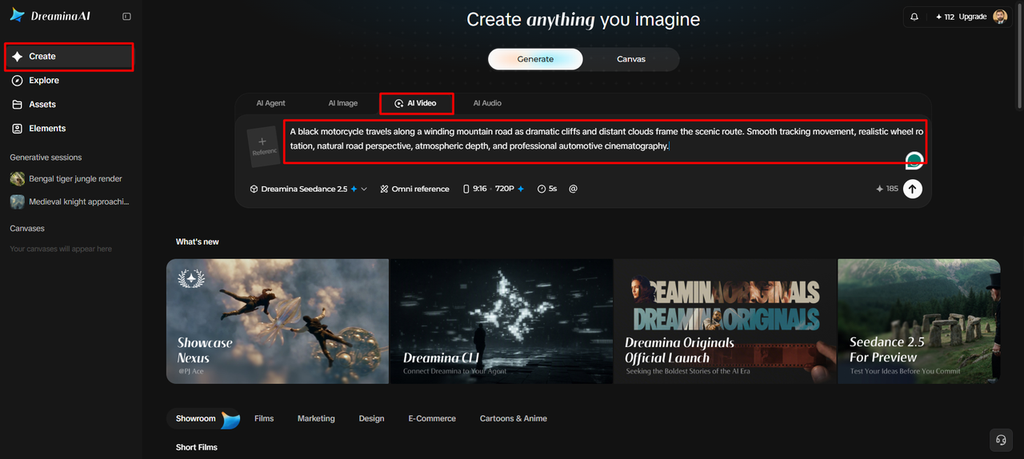
Step 1: Upload your photo and outline the cinematic look
- Sign up or log in to Dreamina and upload a clear, sharp photo to begin.
- From the left menu, head to the “Create” tab and pick the “AI video” option.
- Write a detailed text prompt that describes the cinematic look and feel you are after. Cover video elements, theme, and concept so the final footage feels planned, polished, and professional.
Step 2: Select a model, refine settings, and generate
- Then, select a model from the options listed at the bottom of the dialogue box.
- Your choices also include Dreamina Seedance 2.5, Dreamina Seedance 2.0, and Dreamina Seedance 2.0 Fast. Dreamina Seedance 2.0 Mini, Dreamina Seedance 1.0, and similar versions complete the full model list.
- Click on “Omni reference” to guide the AI with multiple reference images for polished results.
- Pick your custom aspect ratio and resolution from the “Aspect ratio” and “Resolution” tabs now.
- Finally, click the “Generate” tab to begin creating your pro-level footage without any extra gear.
Step 3: Polish your footage and export the final cut
- If the results fall short, you can “Edit prompt” or “Regenerate” to refine them further.
- You can also polish the generated video with the “Edit video” option whenever you want.
- Choose “Edit segment” to edit only one part of the video without touching the rest.
- Stretch the shot using “Extend video” whenever the scene truly needs a longer runtime overall. Boost the sharpness with “Creative upscale” to give your footage a truly clean, studio-grade finish.
- Dreamina gives you complete freedom to edit your footage the way you like, completely gear-free.
- When it looks right, click the “Download” tab on the top right of the interface. Dreamina saves the video file on your local device, ready to share with your team.
Six Production Techniques That Create a More Polished Look
- Intentional framing: Place the subject in a clear position and minimize distracting elements in the background.
- Directional light, soft highlights, and coherent shadows in the scene.
- Measured camera movement: Ask for deliberate, slow movements or tracking.
- Texture preservation: Look for significant fabrics, glass, wood, or metal features and check for continuity.
- Visual restraint: Only use one dominant action rather than mixing conflicting movie directions.
- Doing finishing discipline: Go through the clip and fix any distracting artifacts before enhancing resolution.
These are techniques that can be used to create a cohesive visual flow and ensure that the rendered scenes are manageable.
Create Different Cinematic Styles Through Prompt Direction
Clear backgrounds, limited motion, and intentional product lighting are all good elements for minimalist commercial footage. Environmental details, slow camera motion, and color schemes contribute to the character of scenes in the atmosphere. Editorial images can be used to highlight silhouettes, movement of fabric, and purposeful posing, but with an eye for detail in the garment. It is good to see depth and subtle motion in travel sequences, be it clouds, water, or foliage. Dreamina AI provides these creative directions by using images and text prompts. But certain film effects are still dependent on the generation quality and the visual material provided.
Understand the Limits of Replacing Professional Equipment With AI
The image-to-video generation doesn’t capture new physical events; it interprets what’s already there. This means that hands, faces, reflections, detailed textures, and product geometry may vary. Some inconsistencies can also occur between single frames as a result of the generated movement. Conventional filming may be necessary for projects that must be scientifically accurate, physically exact, or involve controlled live performances. Distorted movement or wrong composition can’t be fixed with resolution enhancement. While Dreamina AI provides creative flexibility, the expertise of specialist production, compositing, or manual correction remains valuable for situations where precise control is a priority.
Polish, Enhance, and Prepare the Final Video
Check for mismatched information, extraneous objects, and sudden jumps in the beginning, middle, and end. Check the timing of the movement, framing of the scene, and continuity before finalizing the clip. Use supported editing tools to make edits to specific sections as needed. Try “Creative upscale” for the appropriate resolution enhancement (if available). When the project involves sound, review soundtrack, voice, and audio requirements separately. Last, ensure that the aspect ratio, visual content, and exported file can be delivered to meet requirements.
Conclusion
The finishing, the consistent movement, the visual consistency, and the composition are more important to cinematic results than equipment. With reference-based generation, Dreamina AI can take a static photo and turn it into a cinematic-like video. But clips that are generated might still need to be corrected and carefully evaluated. Selected video concepts can be more easily accessible with a well-planned workflow, while maintaining creative judgment.